Best WooCommerce Import and Export Plugins for 2026
 Written by
Elizabeth Sramek
Elizabeth Sramek
Founder & lead designer
Elizabeth started ThemesCraft in 2012 as a one-person theme shop and has designed every theme the studio has released since. She writes about block themes, typography systems, and the unglamorous work of keeping a fourteen-year-old codebase healthy.

Sooner or later, every WooCommerce store needs to move data. You might be loading a supplier’s product list, sending orders to your accountant, or moving customers to a new site. Doing this by hand takes hours, and one wrong paste can break hundreds of records.
WooCommerce import and export plugins do this work with files instead. You export your data to a file, such as a CSV or Excel sheet, or you import a file to add or update data in your store. The right plugin depends on what you need to move and how often you need to move it.
This guide covers 9 plugins for importing and exporting WooCommerce products, orders, customers, and more. For each one, you’ll see what it does, what the free version includes, and what the paid version adds.
What WooCommerce Already Does
Before you install anything, it helps to know what WooCommerce can do on its own.
WooCommerce has a built-in tool for products. You’ll find Import and Export buttons under Products > All Products. It works with CSV files and supports simple, variable, grouped, and external products. It can also update existing products by matching their ID or SKU.
The built-in tool only handles products. The Analytics screen can download basic order reports, but WooCommerce can’t import orders, coupons, or customers. The product tool also doesn’t run on a schedule or work with XML or Excel files. That’s where the plugins below come in.
1. Product Import Export for WooCommerce

Product data changes often. Suppliers send new price lists, stock levels shift, and new items arrive every season. Updating these one product at a time doesn’t work for long.
WooCommerce Product Import Export lets you import, export, and update products in bulk using a file. You can match the columns in your file to WooCommerce fields, which helps when your file comes from another platform, like Shopify.
The free version works with CSV files. It supports simple, grouped, and external products, along with product categories, tags, and reviews. You can update stock, prices, and other details for existing products during import. When you export, you can filter products by category, tag, status, stock status, or product type. If some products have no description, it can write one during import using the ChatGPT API.
The premium version adds variable and subscription products. It supports XML, Excel, TSV, and Google Sheets files, and it can import files from a URL or an FTP location. You can schedule imports and exports over FTP or SFTP, so a supplier’s regular file can update your store automatically. During import, you can also change values with simple math, like lowering every price by 5.
Best for: Stores that add or update many products and want one tool built only for product data.
2. WP Ultimate CSV Importer

Some stores need to import more than products. They may also have blog posts, pages, or custom content to bring over from another site.
WP Ultimate CSV Importer is a general importer for WordPress. The free version can import CSV, XML, Excel, and TSV files, and it can read a public Google Sheets link. You map your file’s columns to WordPress fields and can save that mapping for next time. Before an import starts, it checks your file for problems and gives it a health score.
For WooCommerce, the free plugin imports simple products only. To import variable products, orders, coupons, reviews, or customers for free, you need a separate free add-on called Import WooCommerce Suite. Exporting needs another free add-on, WP Ultimate Exporter.
WP Ultimate CSV Importer Pro also imports WooCommerce products, orders, coupons, and customers. It lets you update existing records, run imports and exports on a schedule, and use FTP or SFTP.
Best for: Store owners who also manage blog posts, pages, or custom content and want one importer for all of it.
3. Order Import & Order Export for WooCommerce
Order data often needs to leave your store. Your accountant may want a monthly file, or your warehouse may need a list of new orders. If you move to a new site, you’ll want your past orders there too.
Order Import & Order Export for WooCommerce handles orders and coupons in both directions. The free version exports and imports orders and coupons as CSV files. You can filter exports by order status, product, coupon, customer, or date range. You can also update existing orders and coupons in bulk during import.
The premium version adds WooCommerce Subscriptions data and supports XML, Excel, and TSV files. It can import and export custom order fields added by other plugins. You can also schedule imports and exports over FTP or SFTP, for example to send a fresh order file to a shipping partner every morning.
Best for: Stores that need to move orders to a new site or share order data with other systems.
4. Advanced Order Export For WooCommerce
Sometimes you only need a clean order report, not a full migration.
Advanced Order Export For WooCommerce is built for exporting orders. It doesn’t import data. The free version lets you pick the fields you want, rename and reorder columns, and filter orders in many ways. It can also group rows by product or customer, which is useful for simple sales summaries. Files can be exported in CSV, XML, and other formats.
The Pro version can export an order as soon as its status changes, such as right after payment. It can also run exports on a schedule and send the files by email, FTP, or other services.
Best for: Store owners who need detailed order reports and don’t need to import orders.
5. WordPress Users & WooCommerce Customers Import Export
Your customer accounts are hard to rebuild if you lose them. When you change sites or merge stores, you need to move them safely.
WordPress Users & WooCommerce Customers Import Export moves user and customer data with a file. The free version works with CSV files and includes guest customers. It keeps users’ existing passwords during a move, so customers can log in to the new site without resetting them. You can filter exports by user role, email, or date range, and update existing accounts in bulk.
The premium version adds XML and Excel files and supports custom user fields from plugins like BuddyPress and Ultimate Member. It can also run scheduled imports and exports over FTP or SFTP.
Best for: Stores moving customer accounts to a new site or keeping user data in sync with another tool.
6. Import and Export Users and Customers

If you only need to work with user accounts, a focused tool can be enough.
Import and Export Users and Customers, made by Javier Carazo of Codection, is a free plugin for user data. It imports users from CSV files and can create new accounts or update existing ones. It supports custom user fields, WooCommerce billing and shipping details, and welcome emails. You can also export users by role or registration date and set up one scheduled import from a file.
There’s no single paid version. Instead, you can buy add-ons for extra needs, such as Excel file support, scheduled exports, more than one scheduled import, and support for plugins like BuddyPress or Advanced Custom Fields.
Best for: Store owners who only need to import or export user accounts and want a free starting point.
7. Import Export Suite for WooCommerce

Plugins 1, 3, and 5 each focus on one type of data. That works well when you only move products, orders, or users. But if you regularly move all of them, one plugin can be simpler to manage.
Import Export Suite for WooCommerce brings these tools together. It imports and exports products, reviews, orders, coupons, subscriptions, and users. It works with CSV, XML, TSV, and Excel files and supports every WooCommerce product type.
You can choose a quick method, a saved template, or an advanced method with filters for each data type. It can update data in bulk during import, run scheduled jobs over FTP or SFTP, and keep user passwords during a move. A job log shows what worked and what failed.
The Suite is a paid plugin with no free version. If you buy the Suite, you don’t need the separate plugins. If you already use them, you don’t need the Suite.
Best for: Store owners and agencies that move products, orders, and customers together, such as during a full store migration.
8. Store Exporter for WooCommerce
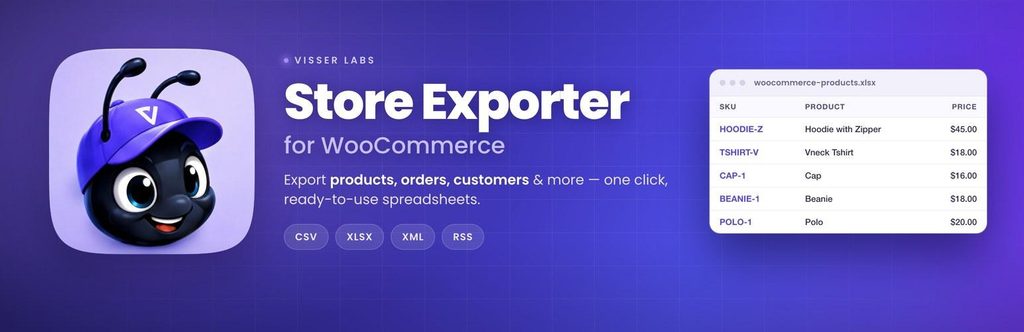
Store Exporter for WooCommerce is an export-only plugin. Like Advanced Order Export, it doesn’t import data, but it covers more than orders.
The free version exports products, categories, tags, orders, and users to CSV files. You can choose which fields to include and filter products by category, tag, status, type, or stock.
Store Exporter Deluxe, the paid version, adds more data types, including customers, coupons, subscriptions, and brands. It also adds Excel, XML, and TSV files, scheduled exports, and delivery by email or FTP.
Best for: Stores that need regular exports of several data types and handle imports another way.
9. WP All Import
Some import files are messy. They may come from an old platform, a supplier feed, or a custom system with its own layout.
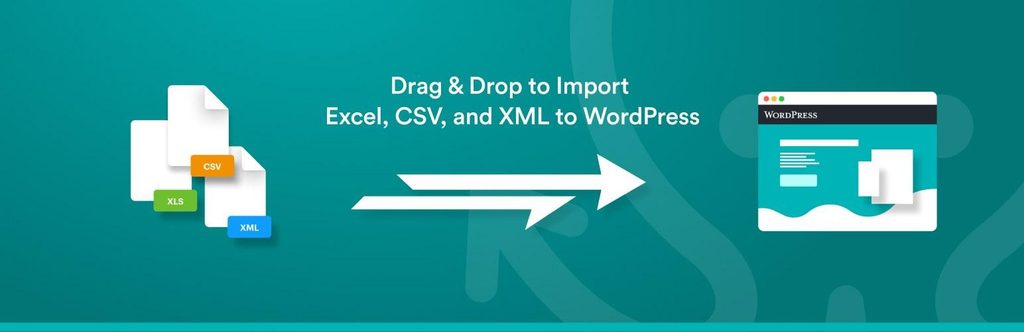
With more than 100,000 active installs, WP All Import is widely used for files like these. You match your file’s data to WordPress fields by dragging and dropping. The free plugin imports CSV, XML, and Excel files. For WooCommerce products, you also need its free WooCommerce add-on, which handles basic product imports.
The paid versions add full support for variable, grouped, and external products. They can also import files from a URL and run imports on a schedule. The higher paid package adds WooCommerce orders, customers, reviews, and coupons.
It also offers advanced options, such as filtering records with XPath, which help when you work with large or complex files.
Best for: Developers and store owners who work with complex or unusual import files.
Wrapping Up
There’s no single best import and export plugin for every store. The right choice depends on the data you move and how often you move it.
If you only work with one type of data, a focused plugin is usually the simplest choice. If you move products, orders, and customers together, an all-in-one tool can save you from managing several plugins. For complex or unusual files, a flexible importer is worth the extra setup time.
Start with a free version where one exists. Test it on a staging site with a small file first. Once you know what you need, you can decide whether a paid feature, such as scheduling or Excel support, is worth it for your store.